



Fast delivery service is available across the region, depending on selected items, location, and time. Learn more at checkout.
About product
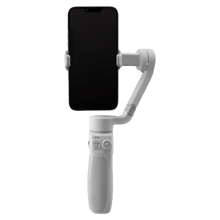
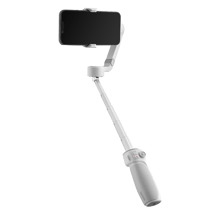
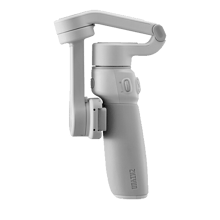
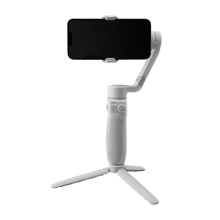
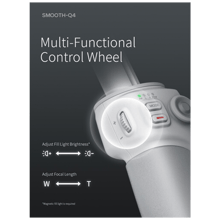
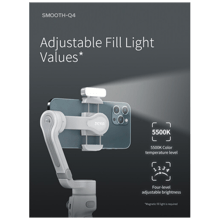
Press the multi-functional control wheel to adjust the brightness of the separately available fill light. Slide to adjust your phone's focal length.
Other onboard controls include a power button, photo/video button, MODE button, trigger button, and joystick.
Gimbal mode indicators allow you to see which mode you are currently using. Available modes include Lock, Follow, Pan Follow, Point of View, and Vortex.
The app supports Android 7.0 and iOS 10.0 operating systems and above.
SmartShooting helps identify your current shooting scenario and offers suggested shooting modes like MagicPano and Livestream Master, which are exclusive to the app.
Tap on the companion app interface to toggle SmartFollow 3.0 and ensure your subject remains centered.
Smart editing templates, background music, special effects, and other tools can enhance your video. Split-screen comparisons and BTS camera movement.
The gimbal can start shooting photos or videos by directing simple hand gestures toward the camera.
Both onboard controls and gesture controls can switch your filming orientation from landscape to portrait for different social media platforms.


Why Buy from Action Mobile?
Because we provide a safe and smooth shopping experience from start to finish.
Up to 18 Months Warranty
Full peace of mind with every purchase
Free Delivery
Fast shipping directly to your doorstep
Easy Returns & Exchanges
Simple and hassle-free process
You may also like


Product description
Press the multi-functional control wheel to adjust the brightness of the separately available fill light. Slide to adjust your phone's focal length.
Other onboard controls include a power button, photo/video button, MODE button, trigger button, and joystick.
Gimbal mode indicators allow you to see which mode you are currently using. Available modes include Lock, Follow, Pan Follow, Point of View, and Vortex.
The app supports Android 7.0 and iOS 10.0 operating systems and above.
SmartShooting helps identify your current shooting scenario and offers suggested shooting modes like MagicPano and Livestream Master, which are exclusive to the app.
Tap on the companion app interface to toggle SmartFollow 3.0 and ensure your subject remains centered.
Smart editing templates, background music, special effects, and other tools can enhance your video. Split-screen comparisons and BTS camera movement.
The gimbal can start shooting photos or videos by directing simple hand gestures toward the camera.
Both onboard controls and gesture controls can switch your filming orientation from landscape to portrait for different social media platforms.
Frequently Asked Questions
- What is the difference between Lock and Follow modes on the Zhiyun Smooth-Q4?
- Is the Zhiyun Smooth-Q4 the best smartphone gimbal for beginners?
- How can I adjust the lighting on the Zhiyun Smooth-Q4?
- Does the Zhiyun Smooth-Q4 support gesture control for shooting?
- What AI features are available in the Zhiyun Smooth-Q4 app?
- Can I switch from landscape to portrait mode with the Zhiyun Smooth-Q4?
- Is the Zhiyun Smooth-Q4 worth it for improving smartphone video quality?